
-
Affiliates
The Best Apps for Tracking Your Family's Schedule
Family life rarely follows a neat timetable. School announcements arrive at different times, work meetings move, children need rides, and weekends fill up before anyone notices. A shared digital calendar can turn that daily scramble into a visible plan everyone can understand.
The best apps for tracking your family's schedule do more than display appointments. They can help parents coordinate transportation, remember activities, assign chores, organize shopping, and keep important information in one place. The right choice depends on how much structure your household needs and how comfortable everyone is with using an app.
For a family-centered lifestyle perspective, Country Girl City Life offers a relatable reminder that organization has to work alongside real parenting, work, relationships, and everyday messiness. A scheduling tool should simplify home life rather than become another responsibility.
Why A Shared Calendar Helps
A family calendar creates one reliable source of information. Instead of asking who has practice, checking several text threads, or discovering a school event at the last minute, everyone can look at the same schedule. Color-coded profiles make it easy to see which child has an appointment and which parent is handling transportation.
Shared planning can also reduce the invisible mental load that often falls on one parent. When activities, deadlines, meal plans, and reminders are visible to the whole household, other family members can take more responsibility. Older children can check their own commitments, while younger children can learn how the week is organized.
Features Worth Paying Attention To
A useful family organizer should offer quick event creation, recurring appointments, reminders, and calendar sharing. The ability to add locations is especially helpful when a schedule includes multiple schools, sports fields, doctors’ offices, or relatives’ homes. Some apps also allow notes, attachments, or links for registration details.
Look for permission settings before inviting everyone. Parents may want full editing access, while children might only need to view events. It is also worth checking whether the app works on both iPhone and Android, supports browser access, and offers a dependable free version before committing to a subscription.
| App | Best For | Helpful Features | Potential Limitation |
|---|---|---|---|
| Cozi Family Organizer | Busy households wanting an all-in-one hub | Shared calendar, lists, recipes, reminders, color coding | Some features require a paid plan |
| Google Calendar | Families already using Google accounts | Multiple calendars, invitations, locations, recurring events | Can feel less family-focused |
| FamilyWall | Families wanting communication and planning tools together | Shared calendar, lists, messaging, location features | The full feature set may require payment |
| TimeTree | Coordinating several groups and schedules | Shared calendars, comments, notes, event reminders | More focused on calendars than household management |
| OurHome | Families combining schedules with chores | Calendar, task assignments, points, shopping lists | Best suited to families willing to maintain tasks |
| Apple Calendar | Households using Apple devices | Simple sharing, alerts, integration with Apple services | Less convenient for mixed-device families |
Cozi For A Complete Household Hub
Cozi Family Organizer is designed specifically for family coordination. Its shared calendar uses separate colors for each person, making a crowded week easier to scan. Grocery lists, to-do lists, meal planning, and recipe storage give it a broader role than a basic appointment calendar.
It can be a good fit for parents who want school events, errands, sports, and household tasks together. The free version may be enough for straightforward planning, although advertising and restricted features can encourage families to consider the paid option. Before subscribing, test whether everyone will actually use the extra tools.
Google Calendar For Flexible Scheduling
Google Calendar is a practical choice for households already using Gmail, Google accounts, or Android devices. Parents can create separate calendars for each child, work, school, and shared activities, then display or hide them as needed. Event invitations and automatic reminders are useful when grandparents, babysitters, or activity leaders need specific information.
Its flexibility is also its main weakness. Google Calendar does not feel like a dedicated family command center, so chores, grocery lists, and family messages may need separate apps. Still, for families who mainly need dependable appointments and broad device compatibility, it is difficult to beat.
FamilyWall And TimeTree For Team Planning
FamilyWall combines a shared calendar with communication and household tools. Depending on the plan and device, families may be able to use shopping lists, private messaging, location sharing, photo storage, and task features. Keeping these functions together can reduce the number of group chats and scattered notes a household relies on.
TimeTree is another strong option when the primary need is shared scheduling. It supports comments and notes within events, which can help families discuss pickup details or changes without losing the conversation. It can also work well for coordinating multiple calendars, such as a household calendar, a school group, and a couple’s personal schedule.
OurHome And Apple Calendar For Specific Needs
OurHome is particularly useful for families that want scheduling connected to chores and responsibilities. Parents can assign tasks, set due dates, and use points or rewards to encourage participation. This approach may help children build routines, although it requires consistent updates and a willingness to make the system part of everyday life.
Apple Calendar is a simpler choice for families who all use iPhones, iPads, or Macs. It integrates smoothly with Apple reminders and notifications, and shared calendars are easy to create. Families with a mix of Apple and Android devices may find another platform more convenient, especially if everyone needs equal access.
Ways To Make A Family Planner Work
The app matters less than the habits built around it. Choose one primary calendar rather than spreading appointments across several platforms. At the beginning of each school term, add recurring activities, holidays, work patterns, and standing appointments. A short weekly review can catch conflicts before they become stressful.
Use clear event names and include the details another person would need. “Soccer” is less helpful than “Soccer practice—bring cleats, pickup at 6:15.” Give every family member a color, and avoid filling the calendar with minor information that makes important events harder to find.
Helpful setup habits include:
- Add school, work, medical, extracurricular, and family calendars separately.
- Set reminders early enough to allow for travel, preparation, or childcare.
- Assign responsibility for transportation directly in the event title or notes.
- Review the upcoming week during a regular family planning time.
- Keep emergency contacts and essential instructions somewhere easy to access.
A family schedule should remain flexible. Unexpected sick days, canceled practices, late work shifts, and spontaneous plans are part of normal life. Use the calendar as a shared guide, not a demand that every minute go perfectly. When plans change, updating the event immediately helps everyone adjust.
Start with the app that matches your household’s current needs, enter the next week of commitments, and invite the people who genuinely need access. A small, consistent habit of checking and updating the calendar can make busy family days feel far more manageable.


 Durex House Party “He Said/She Said” Challenge [Giveaway]
![Durex House Party: Introducing the LOVE BOX [Giveaway]](/wp-content/uploads/HLIC/2ed7178346e419ad5c79280a7d5dd0aa.png) Durex House Party: Introducing the LOVE BOX [Giveaway]
Durex House Party: Introducing the LOVE BOX [Giveaway]
![Welcome to the Durex House Party [Giveaway]](/wp-content/uploads/HLIC/b3517de65f98905a68b0497aa5152005.png) Welcome to the Durex House Party [Giveaway]
Welcome to the Durex House Party [Giveaway]
 Nursing Scrubs
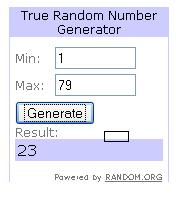 Purex Complete Crystals Winner